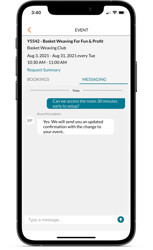
You probably already know the difference between a personal calendar and an event scheduling system. Mazévo exists to manage space, approvals, and the operational side of scheduling. Google Calendar and Outlook exist to help individuals plan their day.
The challenge is that not everyone across the organization lives in Mazévo the way event and facility teams do. Many people still rely on their personal calendars to understand what’s happening, or they need that information to flow into tools that depend on those calendars.
This is where calendar feeds come in.
TL;DR Key Takeaways:
-
Mazévo can be automatically synced with personal calendars such as Google and Outlook.
-
This integration enables easy connections with other platforms such as digital signage, video conferencing, and more.
-
This is a one way feed that ensures the Mazévo remains the single source of truth for all facility scheduling.
-
System administrators can control exactly which events are shared through the calendar feeds.
Making Event Information Easier to See
An iCal feed is a standard way for one system to share calendar information with another. In this case, it allows events managed in Mazévo to appear automatically in Google Calendar and Outlook.
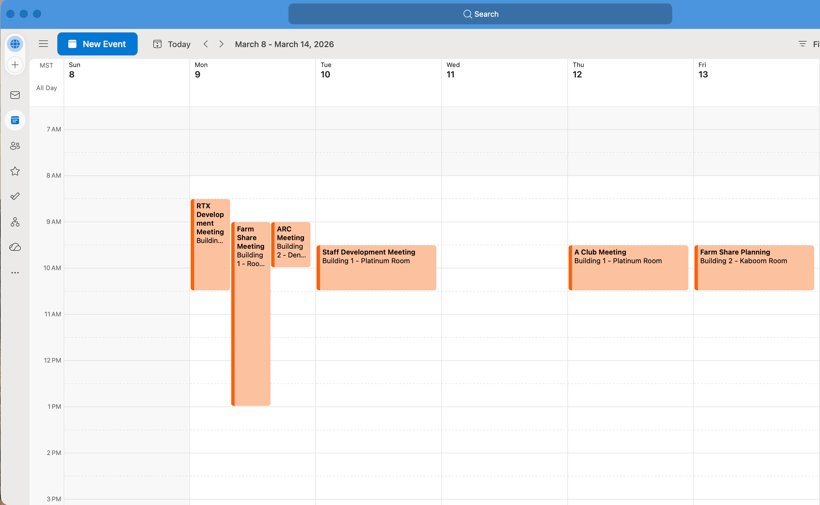
For people outside of event and facility management, this often makes the difference between staying informed and missing important details. Instead of exporting schedules or copying information by hand, event details are shared automatically in the calendars many people already rely on.
Mazévo remains the place where events are created, approved, and updated. Personal calendars provide visibility for day-to-day planning, without changing how scheduling is managed.
This is especially helpful in large or decentralized organizations, where not everyone works directly in the scheduling system. Calendar feeds make it easier to support those teams without creating separate processes or asking them to change how they plan their day.
Why This Fits How Most Organizations Already Work
On many campuses, Google Calendar or Outlook is the place other systems already look for information. Room displays, digital signage, and video conferencing tools often rely on those calendars to know what’s happening and when.
By sharing events from Mazévo into Google or Outlook, those systems can stay up to date without needing a direct integration with Mazévo itself. That means fewer connections to manage and less complexity overall, while still keeping Mazévo as the source of truth for your events.
How This Helps Teams Across Your Organization
The benefits of personal calendar integration extend to many different roles within an organization.
-
Your event and facility managers find that they spend less time answering routine questions about what is going on because stakeholders can see the schedule themselves.
-
Departmental staff, who commonly have a Google or Outlook calendar open all day, appreciate having a consolidated view of everything happening.
-
IT and operations teams also benefit because they can support multiple systems that communicate naturally with one another.
In an environment where budgets and staffing may be limited, the ability to do more with less is vital. Automatically sharing event information on an Outlook or Google Calendar allows your team to focus on higher-priority tasks rather than data entry or troubleshooting calendar conflicts.
What This Calendar Sync Does and Doesn’t Do
Mazévo shares event information with Google Calendar and Outlook so people can see what’s happening in the places they already check every day. Changes to events are still made in Mazévo.
This means you can’t create or edit events in Google or Outlook and have those changes flow back into Mazévo. Personal calendars are for event viewing and awareness, while Mazévo remains the place where events are created, approved, and updated.
Calendar feeds update automatically, but the timing can vary based on how Google and Outlook refresh their calendars. For most day-to-day use, this works well. If something is time-sensitive or you need up-to-the-minute accuracy, it’s always best to check the master schedule in Mazévo.
This approach keeps event information consistent and avoids confusion, while still making it easy to share schedules more broadly.
Flexible Controls for Targeted Communication
Importantly, implementing this feature isn’t an all-or-nothing decision for your organization. It is your Mazévo system administrators who have full control over how these feeds are configured and rolled out to the rest of the organization. They can use filters to determine exactly which events are included in a specific feed based on the building, the room, or the type of organization involved.
You can also filter by event status, ensuring that only confirmed activities appear on public-facing or departmental calendars. This level of flexibility allows for a rollout that matches the needs of your organization.
Whether you want to publish a master calendar for an entire district or create a private feed for a single room, the ability to integrate Mazévo with other calendars is available whenever you’re ready to use it.
Mazévo and Outlook/Google Calendars: Learn More About Automated Synchronization
Get details on the benefits of third-party calendar integration in a live demonstration tailored to your needs. Or contact us with questions.