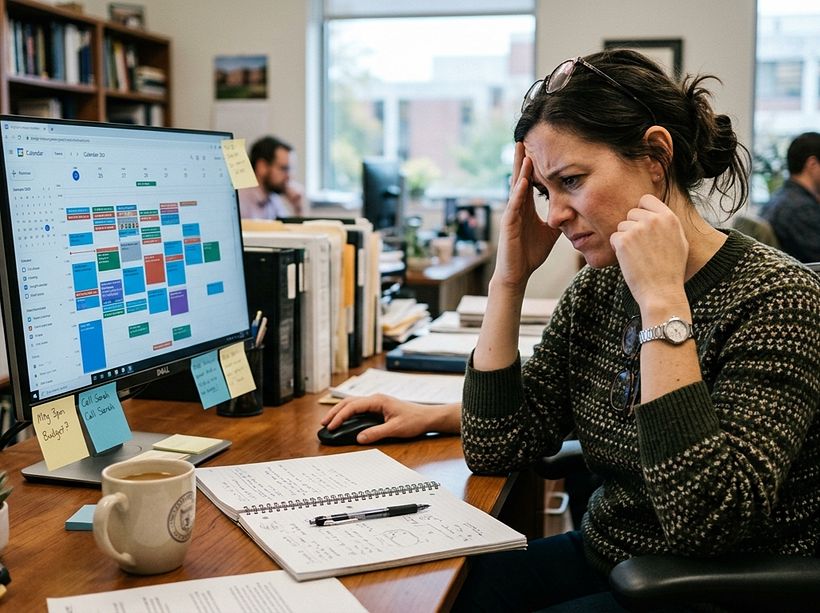
Outlook or Google Calendar probably worked fine at one point.
When events were simple and the number of spaces was small, you could keep things organized without much effort. Most of the coordination happened in your head or through a few emails.
Then things changed.
More requests started coming in. More spaces needed to be managed. More people got involved in each event. And the details started to add up.
What used to feel manageable now feels like constant cleanup. You’re double-checking bookings. Following up on missing details. Fixing issues that shouldn’t have happened in the first place. You’re not just putting time on a calendar anymore. You’re managing events.
Keep reading to see where personal calendars fall short, and download a one‑page guide to help you explain the need for something better.
TL;DR Key Takeaways:
- Outlook and Google Calendar work for basic meetings, but they struggle with more in-depth needs.
- High-volume and complex events require workflows, including approvals and coordination, that standard calendars don’t offer.
- Managing room setups, resource tracking, and other tasks requires more than just a calendar.
- A purpose-built event management system also collects data that gives scheduling teams and management insight into how facilities are used and how to manage them more effectively.
Outlook and Google Calendars Work… Until They Don’t
It's easy to see why people stick with what they know. Outlook and Google are great for personal schedules and quick meetings. In a small organization, you might not notice the limitations right away. Individual effort and manual emails can help you overcome the inefficiencies for a while. You might just send a quick note to a colleague to make sure a room is free.
The trouble starts when the complexity and/or volume of events goes up. When you have dozens of rooms and hundreds of requests, manual coordination becomes a nightmare. Errors and double bookings become much more common. Uncomfortable scenarios where two different groups think they have the same room reserved at the same time increase.
Personal calendar tools aren’t built with the structure needed for managing dynamic environments or clear visibility throughout a building or across a campus. They lack the rules that prevent people from booking a space that they shouldn’t be using either because someone else has requested it or they don’t have the authority to hold an event there.
When Does Event Scheduling Require a Defined Workflow?
A sign that you’ve reached a tipping point is when a simple calendar entry is no longer enough to give everyone confidence in the scheduling process. If your events require setup time, specific staff, or formal approvals, you’re looking at executing a workflow rather than just “making an appointment.”
A standard calendar app treats a room like a person. It just looks to see if that "person" is busy. In a real-world scheduling scenario, you need to know a lot more:
- Can the room be rearranged?
- Does the catering team have enough time to set up before the guests arrive?
- Is there a manager who needs to sign off on the budget before the space is officially held?
- And the list goes on…
These are the questions that a dedicated event management system is designed to address. It moves the process from a chaotic exchange of emails into a streamlined, centralized process where everyone knows their role and responsibilities.
How Can You Manage Shared Spaces Without Headaches?
When you use a basic calendar for event management, anyone can invite a room to a meeting. This often leads to "room squatting" or people booking spaces that are too big for their needs—and the associated headaches.
A specialized event scheduling solution uses tailored request forms. These forms ensure that the person requesting the space understands what they’re asking for and provides all the necessary details from the start. They also help enforce your specific policies.
For example, you can set a rule that a large auditorium can only be booked if there are at least 50 attendees. You can also prevent someone from booking a space at the last minute if you need 24 hours of notice for cleaning and preparation. These built-in rules stop conflicts before they happen and keep your operations running smoothly.
Why Does Resource Management Matter for Scheduling Teams?
Events are about much more than just a room and a time. They can require resources (often, a long list of them), including things like a specific type and number of tables and chairs, microphones, projectors, and catering services, to name just a few. Outlook and Google aren’t designed to track inventory. If two different meetings both request the only high-definition projector you own, a standard calendar won’t alert you about that conflict.
With a dedicated event management system, you can manage all these event services in one place, and you get alerts if you’re about to overbook a specific piece of equipment. This is a huge win for the facilities crew and the IT team. They can look at their phones or tablets to see exactly what needs to be done and when the tasks need to be completed. This cuts down on surprises and ensures that the physical room setup meets the customer’s expectations.
How Do You Get Everyone on the Same Page for Event Scheduling?
When you use personal calendars for facility scheduling, information is often “siloed.” Only the person who booked the room really knows what’s going on. This lack of visibility makes it hard for leadership to see how space is being used. They might wonder if they need to build more meeting rooms or if the current ones are just being used inefficiently.
An event scheduling platform provides detailed reporting and analytics. You can see which rooms are popular and which are often empty. This data is crucial for making smart decisions about your budget and staffing.
Assistance That Helps You Realize the Benefits of Switching Quickly
Sometimes the hardest part of improving your process isn’t the work itself. It’s helping others understand why a change is needed. From the outside, Outlook or Google Calendar can look like they’re working just fine. What’s harder to see is the effort behind the scenes. The follow-ups, the manual checks, and the last-minute fixes that keep events on track rarely show up on a calendar.
It’s helpful to show others that a dedicated system isn’t just another calendar. It’s a way to reduce the number of email inquiries, stop double bookings, and improve the customer experience. Ultimately, moving to a modern event management platform helps you do more with less, which can be essential in times of shrinking budgets and staffing shortages.
Download this simple one-page guide to help you explain, in a clear and practical way, why event scheduling needs more than a calendar. 👉 A Better Way to Manage Rooms, Events, and Resources
You can also learn more about how Mazévo can help you move quickly and efficiently from simple calendars to a complete scheduling workflow in a live demonstration tailored to your needs. Or contact us with questions.