
We updated Mazévo with several new enhancements.
Automatically Add a Resource to a Room’s Booking
You can now configure one or more resources to be automatically added whenever a specific room is booked.
This is especially helpful for integrations that rely on a particular resource being attached to the booking in order to function. For example:
- Automatically adding a resource that signals sprinklers to turn off when an outdoor space is reserved
- Automatically adding a resource that triggers HVAC when a specific room is booked
Once enabled, the resource will always be added to bookings for that room, regardless of how the booking is created. This includes bookings created manually, through requests, or via integration.
Use this setting thoughtfully. If needed, the resource can still be manually removed from an individual booking.
Why this matters:
This reduces manual steps and ensures your integrations work consistently without relying on staff to remember to add the required resource.
New Actual Attendance Field
You can now log a booking’s actual attendance directly in Mazévo.
If your team conducts headcounts during events, there is now a dedicated place to record that number. The field is accessible from the Ops screen, making it easy to update from a phone or desktop.
Actual attendance can also be reported on using Advanced Find Events.
Why this matters:
Estimated attendance and actual attendance are often different. Having both numbers available improves reporting accuracy and gives you better data for space utilization, staffing decisions, and analytics.
Campus Code Extended in Advanced Academics
Campus code has now been added to final exams and academic analytics within Mazévo Advanced Academics.
We introduced campus code a few months ago. This update extends that functionality further into academic workflows and reporting.
Option to Remove Booking Bar Color on Confirmations
You now have the option to remove the colored booking bar on confirmations.
Why this matters:
Some institutions prefer a cleaner confirmation layout, especially when branding standards or print formatting require a more neutral appearance.
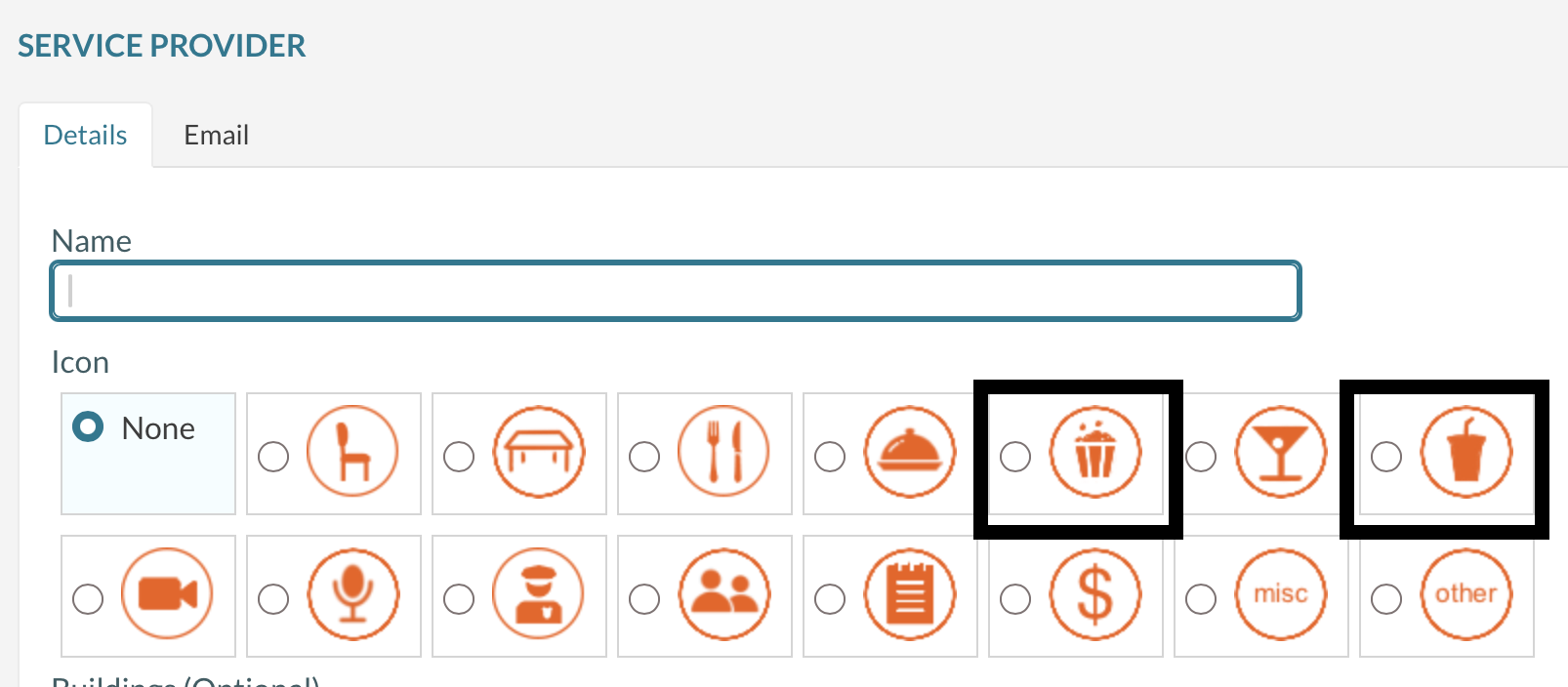
New Service Provider Icons
We have added two new Service Provider icons for popcorn and soda.
Suppress Grouping Totals in Advanced Find Events
In our last update, we introduced the ability to display totals for grouped columns in Advanced Find Events.
You can now suppress those grouping totals if you prefer not to include them.
This is particularly helpful when exporting to Excel and you do not want grouped totals included in your export.
Reassign Ownership of Saved Views
Global Administrators can now change the owner of saved Event Calendar, Activity Log, and Email History views.
If the original creator of a saved view leaves the organization, you can reassign ownership to another staff member.
Accessibility Improvements
We have made additional improvements to align Mazévo with WCAG accessibility guidelines.
These changes may not be noticeable unless you rely on accessibility tools, but they are an important part of our ongoing commitment to making Mazévo usable for everyone.
Bugs Fixed
We also addressed the following issues:
- In some cases, saved views in Find Events could not be edited
- PDF documents were not always opening properly on mobile devices. This has been corrected
- When assigning an SIS room in the Academic Optimizer, courses were not always processed in the proper sequence. Rooms will now assign in order
- In some cases, Assign TBA Room was not working in the Academic Optimizer
As always, thank you for your feedback. Many of these refinements come directly from conversations with customers.